 Falling Pickaxe Demo: Play Pixmove's Mining Game for Free
The Falling Pickaxe demo lets you play the full Pixmove game without spending a cent. There's no account to create, no deposit and no download: the game opens straight in your browser with a balance of virtual credits, and every round works exactly like the real-money version.
We think the demo is the best place to start with this game. Falling Pickaxe has more moving parts than most instant games, from the selection reel and the four pickaxe tiers to durability, ore hit counts and three special blocks. Reading the rules helps, but watching a few dozen rounds is what really makes them click. On this page you'll find the free demo itself, a guide to starting it, and a short list of things worth testing before you play for real stakes.
How to Start the Free Demo
Getting into the game takes a few seconds. The demo above is the official Pixmove version, so it uses the same rules, the same pickaxes and the same block values as the game in casino lobbies.
- Press play on the game window above, or open the demo in a new tab for a bigger screen.
- Wait for the loading screen with the Pixmove and Falling Pickaxe logos to finish.
- Check the demo balance in the bottom-left corner. It's marked DMO, so you always know you're playing with virtual credits.
- Set your stake with the minus and plus buttons next to the spin button.
- Press the large spin button to start a round, and watch the selection reel decide your pickaxe.
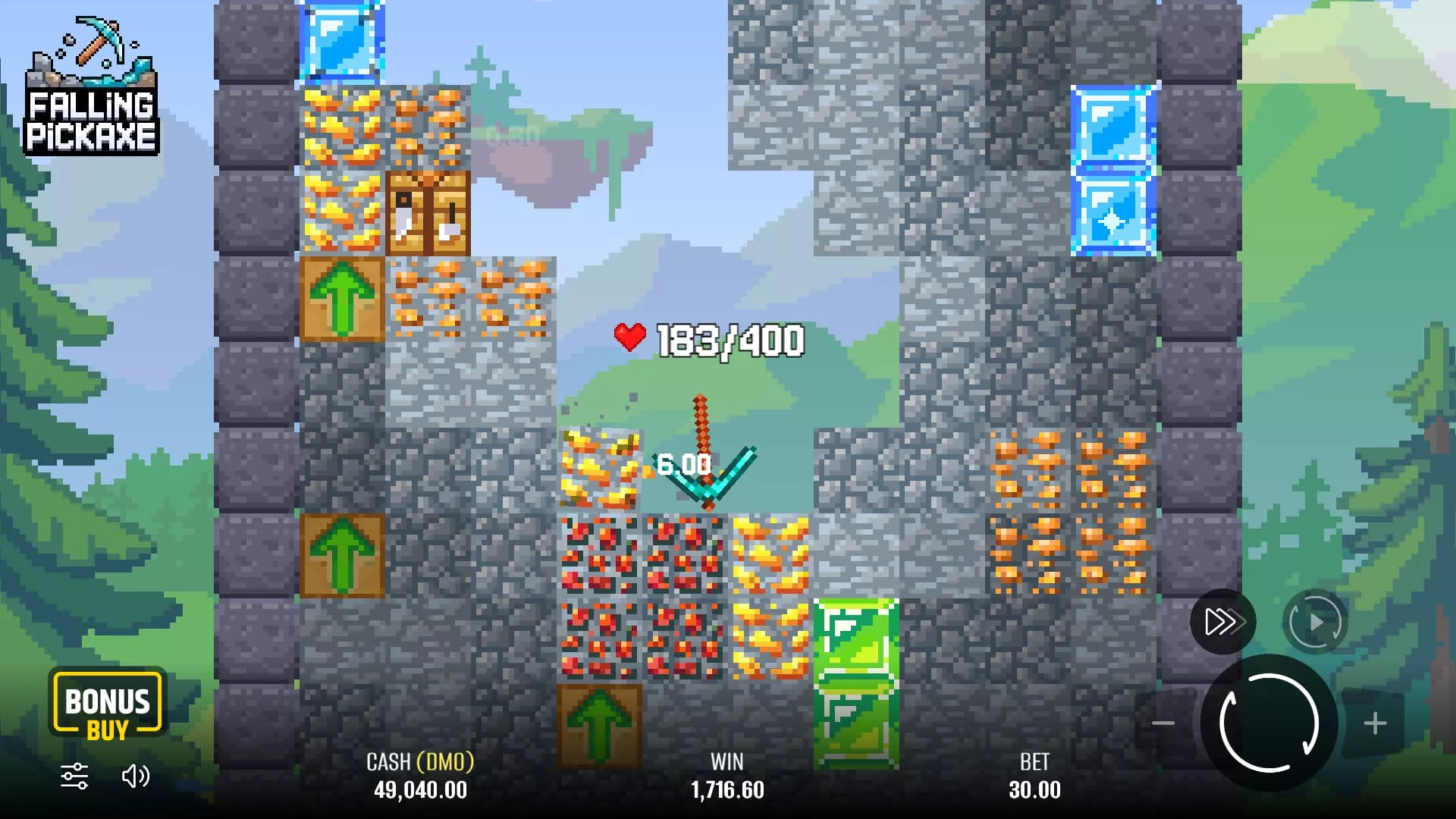
The demo starts with a generous balance of 50,000 virtual credits, enough for hundreds of rounds at any stake. That's plenty to see every pickaxe tier, a long run of Crosses and several special blocks in action. Since the credits have no value, you can raise the stake as high as you like and test the game in ways you'd never risk with real money.
What the Demo Includes
Pixmove hasn't cut anything from the free version. The Falling Pickaxe free play mode is the complete game running on virtual credits, and the only real differences are the money and what you can do with your winnings.
| Feature | Free demo | Real-money game |
|---|---|---|
| Selection reel and Crosses | Yes | Yes |
| Wooden, Stone, Iron and Diamond pickaxes | Yes | Yes |
| Ore values and hit counts | Same as real game | Same as demo |
| TNT, Upgrade Arrow and Workbench | Yes | Yes |
| Bonus Buy | Yes, paid with virtual credits | Yes, paid from your balance |
| RTP and maximum win | 95% and 160x | 95% and 160x |
| Account or deposit needed | No | Yes, at a casino |
| Winnings can be withdrawn | No | Yes |
Because the maths is identical, what you see in the demo is a fair preview of the real game. A session of Wooden runs will feel just as short, and a Diamond Pickaxe meeting a Workbench will feel just as good. What the demo can't show you is how the game feels when real money is on the line, which is worth keeping in mind once you switch.
What to Test in the Falling Pickaxe Demo
Spinning at random is fun, but a little structure gets far more out of free play. These are the things we'd look at first.
How Far Each Pickaxe Gets
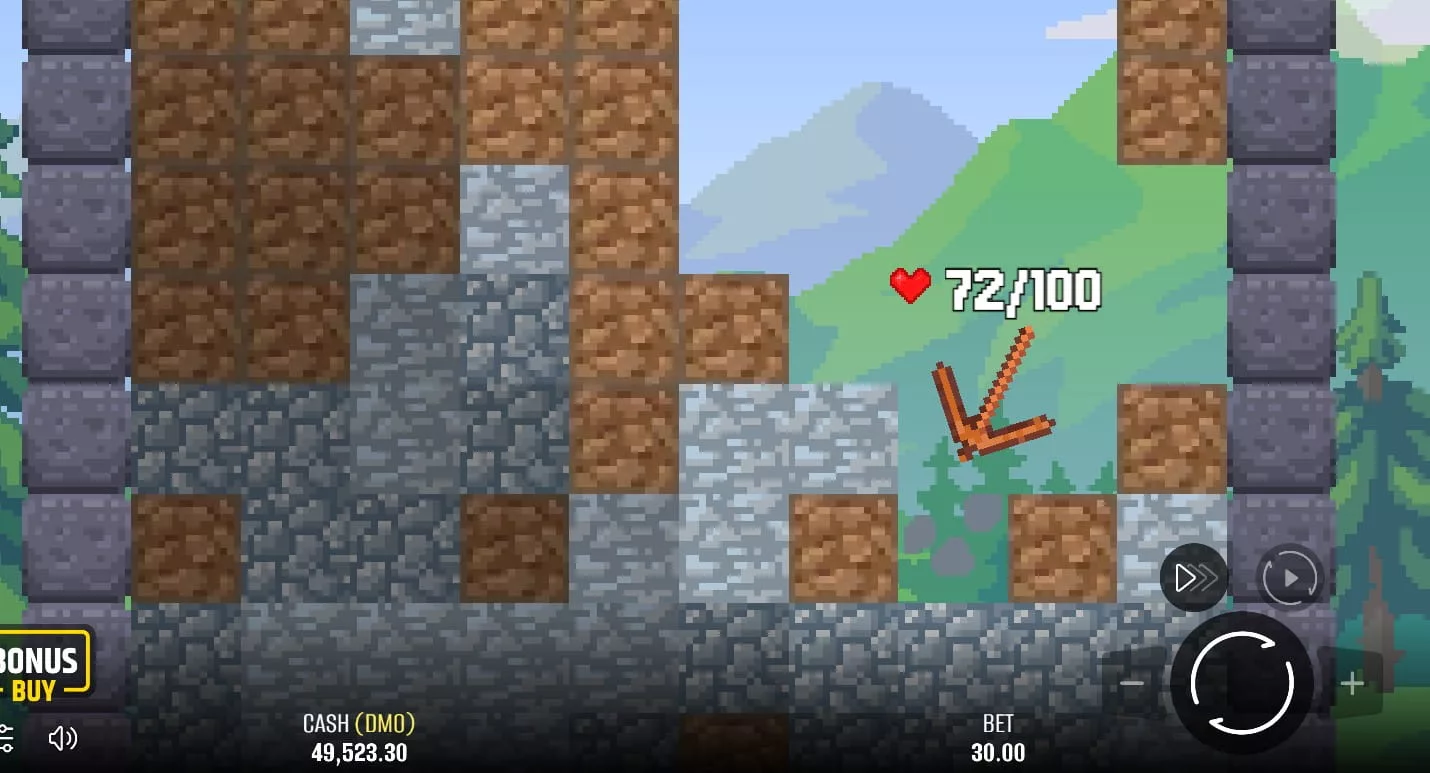
Durability is the key to the whole game, and the demo is the easiest way to feel the difference between the tiers. A Wooden Pickaxe has 100 durability, a Stone one 150, Iron 200 and Diamond 400. Play until you've seen each tier a few times, and watch how deep it falls before the heart counter reaches zero. Wooden runs usually end near the top of the shaft, while Diamond runs can reach the rows where Emeralds sit.
Why Some Ores Pay Nothing
Ores pay only when they're fully broken. A Gold block needs 15 hits, a Diamond 20 and an Emerald 30, and every hit costs the pickaxe a point of durability. In the demo, watch for rounds where the tool reaches a valuable ore late in its run and breaks before finishing it. That ore pays nothing, and seeing it happen a few times explains most of the "why did I win so little?" moments new players have.
The Special Blocks in Action
TNT, the Upgrade Arrow and the Workbench all appear at random, so a longer demo session is the best way to catch each of them. Watch how a TNT blast clears filler without costing durability, how an arrow makes the pickaxe bigger for a few seconds, and how a Workbench restores durability and upgrades the tool one tier. The Workbench in particular can turn an ordinary round into a long one.
How Often Crosses Appear
A Cross on the selection reel means no pickaxe and an empty round. Several in a row are normal, and the game guarantees a pickaxe on the eighth spin after seven Crosses. Counting how often they turn up over a hundred demo rounds gives you a realistic idea of how a real session will pace itself, and helps you pick a stake that can absorb a dry spell.
Trying the Bonus Buy for Free
The Bonus Buy is the one feature most worth testing in demo mode, because in the real game it costs several times your stake. It lets you skip the selection reel and start with the pickaxe of your choice: 2.99x the stake for Wooden, 5.65x for Stone, 8.44x for Iron and 10.5x for Diamond.
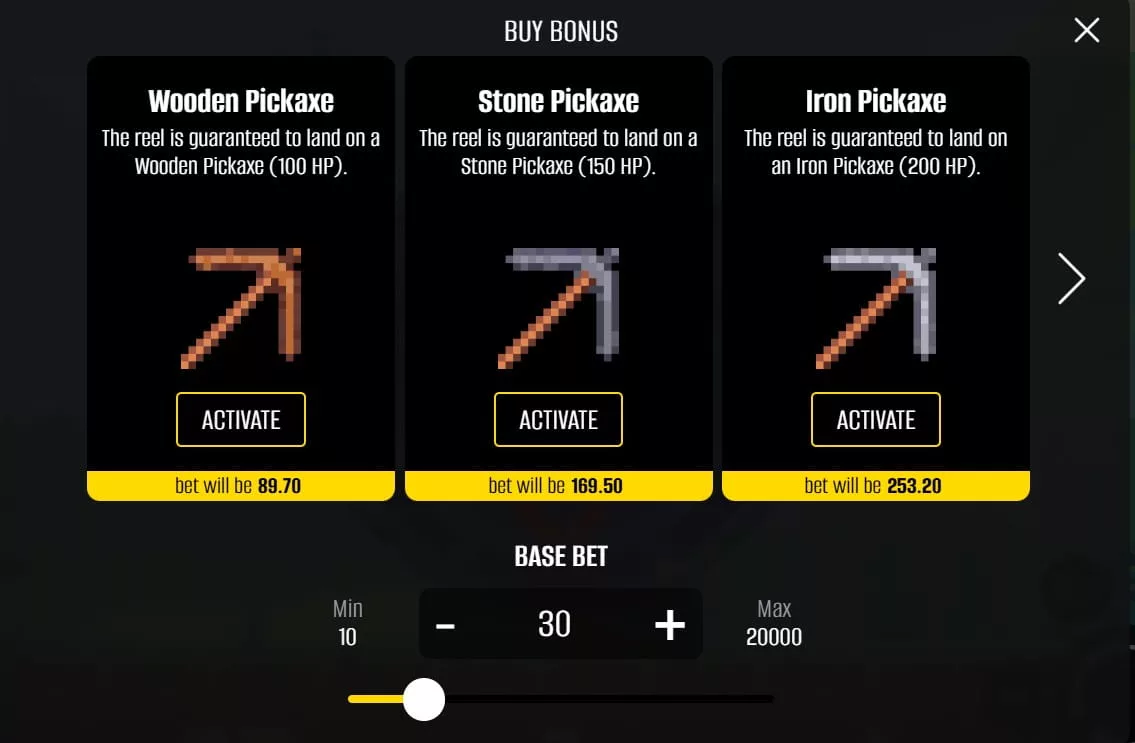
Buy a series of Diamond Pickaxes with virtual credits and note what each one returns. You'll quickly see how widely the results vary: some runs pay several times the 10.5x price, while others end in a shaft of Dirt and Stone and return less than they cost. That's the honest picture of the feature, and it's much better to learn it here than with your own balance.
Playing the Demo on Mobile
The Falling Pickaxe demo runs in mobile browsers on Android and iPhone, with no app to install. On a phone, the game switches to a portrait layout: the selection reel sits in the middle of the screen, the spin and stake buttons move to the bottom, and the Bonus Buy button stays within easy reach of your thumb.
The mobile version has the same rules and features as the desktop one. If the embedded window above feels small on your phone, open the demo in a new tab to play it full screen.

From the Demo to Real Stakes
Once the reel, durability and special blocks feel familiar, switching to real money is simple. The game is available at international casinos that work with Pixmove, and each runs the same version you've just played, with the same 95% RTP and 160x maximum win. You'll find the sites we've checked, along with a full guide to the rules, on our Falling Pickaxe homepage.
A few habits carry over well from free play:
- Choose a stake that can handle a run of Crosses.
- Set a budget before the first round.
- Treat the Bonus Buy as an occasional choice rather than the default.
Real-money rounds play out exactly as they did in the demo, so nothing on the screen will surprise you. The only difference is that the outcome now counts.
FAQ
Is the Falling Pickaxe demo free?
Yes. The demo is completely free and uses virtual credits. You don't need an account or a deposit, and nothing you win or lose in the demo affects real money.
Is the demo the same as the real game?
Yes. It's the official Pixmove version with the same reel, pickaxes, ore values, special blocks, 95% RTP and 160x maximum win. The only differences are that it runs on virtual credits and that demo winnings can't be withdrawn.
Do I need to register to play Falling Pickaxe for free?
No. The demo opens straight in your browser without registration. Many casinos that carry the game also offer a demo mode in their lobby, though some ask you to log in first.
Can I use the Bonus Buy in demo mode?
Yes. All four pickaxe tiers can be bought with virtual credits, at the same prices as the real game. It's the safest way to see how much a bought Diamond Pickaxe really returns over many rounds.
Does the Falling Pickaxe demo work on mobile?
Yes. It runs in mobile browsers on Android and iPhone without any download, using a portrait layout with the controls at the bottom of the screen.
Can I win real money in the demo?
No. Demo credits have no cash value, and winnings stay in the virtual balance. To play for real prizes, you need an account at a casino that carries the Pixmove game.
How many credits does the demo give me?
The demo starts with a balance of 50,000 virtual credits. That's enough for hundreds of rounds, even at higher stakes, so you can try every pickaxe tier and the Bonus Buy without running out.