 Falling Pickaxe App: How to Play the Game on Your Phone
There's no separate Falling Pickaxe app to download, and you don't need one. Pixmove built the game to run in any modern mobile browser, so it opens on Android phones and iPhones straight from a casino lobby or from the free demo. If your casino has its own app, you'll find Falling Pickaxe inside it like any other game.

Plenty of players look for a Falling Pickaxe app in Google Play or the App Store and come away confused, either finding nothing or finding games that have nothing to do with Pixmove. On this page we explain how the game really works on phones and tablets, the two safe ways to play it on mobile, and what to watch out for if a site offers you a "Falling Pickaxe APK".
The short version: open the game in your browser or inside a casino's own app. Both give you the full, official version with the same rules as on desktop.
Is There a Falling Pickaxe App?
No. Pixmove doesn't release Falling Pickaxe as a standalone app, and you won't find the casino version in Google Play or the App Store. That's normal for casino games. Studios like Pixmove build their games in HTML5 and supply them to online casinos, which then show them in their lobbies. The same game file runs on a desktop computer, a tablet and a phone, and adjusts its layout to the screen.
This is actually good news for mobile players. There's nothing to install, nothing to update and no storage space taken up on your phone. The game loads in a few seconds over a normal connection, and you always get the current version straight from Pixmove's servers.
If you do come across an app called Falling Pickaxe in an app store, it isn't the Pixmove casino game. Some are casual games with a similar idea, and some borrow the name from the free Minecraft-style game popular with streamers. None of them let you play the real-money Pixmove version, and none use its rules or its 95% RTP.
Option 1: Play in Your Mobile Browser
The simplest way to play Falling Pickaxe on a phone is through the browser you already use, whether that's Chrome, Safari, Firefox or Samsung Internet. It works the same for the free demo and for real-money play at a casino.
- Open the casino's website in your mobile browser, or open the free Pixmove demo if you just want to practise.
- At a casino, log in or create an account, then type Falling Pickaxe or Pixmove into the lobby search.
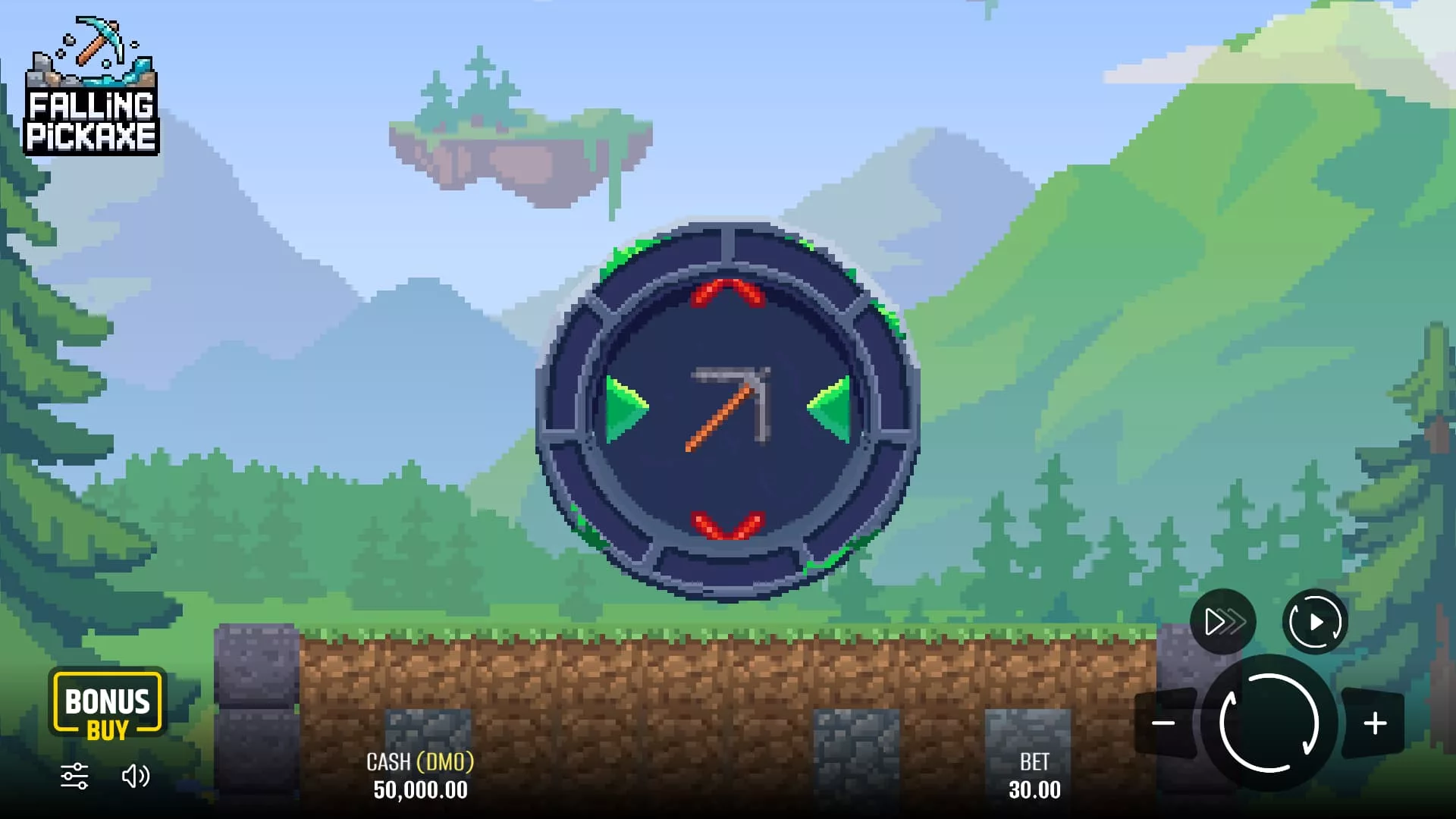
- Tap the game tile. The loading screen appears, followed by the selection reel.
- Hold your phone upright. The game uses a portrait layout, with the controls at the bottom of the screen.
- Set your stake with the minus and plus buttons and tap the large spin button to start a round.
Browser play has one more advantage: your casino account, balance and bonuses are the same on every device. You can start a session on your laptop and continue it on your phone without changing anything. The only thing to check is that you've opened the casino's real address, ideally from a bookmark you saved yourself.
Option 2: Play Through a Casino App
Some online casinos offer their own mobile app, either as a download from their website or as a web app you add to your home screen. If the casino carries Pixmove games, Falling Pickaxe sits in the app's lobby like any other title. Search for it by name, tap the tile and it opens just as it would in the browser.
A casino app doesn't change the game itself. The rules, the four pickaxes, the ore values, the Bonus Buy prices, the 95% RTP and the 160x maximum win are all identical. What the app adds is convenience: a home screen icon, a login that remembers you, and sometimes notifications about promotions.
Adding a Casino to Your Home Screen
If your casino has no app, you can create a shortcut that behaves much like one. It opens the site full screen with its own icon, so Falling Pickaxe is never more than two taps away.
- On Android, open the casino in Chrome, tap the three-dot menu and choose Add to Home screen.
- On iPhone, open the casino in Safari, tap the Share button and choose Add to Home Screen.
- Open the new icon, log in once, and the casino remembers you next time.
Only download a casino app from the casino's own website. Real-money casino apps are often missing from the official app stores in many countries, and copies offered on other sites can be fake.
Which Option to Choose
Both safe options give you the same game. The choice comes down to how often you play and whether your casino offers an app at all. Here's how they compare, along with the one option we'd avoid.
| Option | Download needed | Real-money play | Best for |
|---|---|---|---|
| Mobile browser | No | Yes, at any casino carrying the game | Most players, quick sessions, the free demo |
| Casino app or home screen shortcut | Sometimes, from the casino's site | Yes | Regular players at one casino |
| "Falling Pickaxe" app from a store or APK site | Yes | No, not the Pixmove game | Nothing; avoid it |
For most players the browser is the better starting point. It works everywhere, needs no setup and lets you try the free demo before choosing a casino. Once you settle on a site you like, a home screen shortcut or the casino's own app saves a few taps each time.
How the Falling Pickaxe App Game Plays on a Phone
Falling Pickaxe suits a phone screen well. In portrait mode, the selection reel sits in the middle of the screen, the falling pickaxe and the block shaft fill the space above and below it, and every control sits within reach of your thumb. The spin button and the stake buttons are at the bottom, with the fast-play and autoplay buttons just above them.
The Bonus Buy button stays on screen at all times, so you can pick a starting pickaxe without opening extra menus. The heart counter above the falling tool is easy to read even on a small display, which matters in a game where durability decides almost everything.
The pixel-art graphics are light, so the game runs smoothly on most phones from the last few years, Android and iPhone alike. A stable connection is all it needs. If your signal drops mid-round, the result is already decided on the server, and the finished round shows up in your casino history once you reconnect.
For longer sessions, it's worth turning the sound off in the game's settings if you play in public, and keeping an eye on your battery during autoplay. Neither changes the game, but both make mobile play more comfortable.
Fake Apps and APK Files
Because the game is popular and has no official app, some sites fill the gap with downloads of their own. You'll see pages offering a "Falling Pickaxe APK", a "Falling Pickaxe mod" or a "money version" of the game. None of them come from Pixmove, and some are designed to collect login details or card numbers, or to install unwanted software on your phone.
A few simple checks keep you safe:
- The real game only opens inside a casino lobby or on Pixmove's own demo page.
- A genuine casino never asks you to install a separate file to play one game.
- No app can change the RTP, guarantee wins or unlock "hacked" pickaxes.
- If a download asks for card details before you've even opened a casino account, close it.
The Pixmove logo on the loading screen is the quickest way to confirm you're playing the official version. If you don't see it, or the game looks different from the screenshots on this page, you're not playing the real Falling Pickaxe.
FAQ
Is there an official Falling Pickaxe app?
No. Pixmove doesn't offer Falling Pickaxe as a standalone app. The game runs in mobile browsers and inside casino apps, with the same rules and RTP as on desktop.
Can I play Falling Pickaxe on my phone?
Yes. The game works in any modern mobile browser on Android and iPhone. Open a casino that carries Pixmove games, or the free demo, and the game switches to a portrait layout automatically.
Is Falling Pickaxe available on Google Play or the App Store?
Not the Pixmove casino version. Apps with a similar name in the stores are unrelated games and don't let you play the real-money Falling Pickaxe.
Is it safe to download a Falling Pickaxe APK?
No. There's no official Falling Pickaxe APK, so any file offered under that name comes from a third party. It won't give you the real game and may put your phone or your details at risk.
Does the mobile version have the same RTP?
Yes. It's the same game on every device, with a 95% RTP, low volatility and a maximum win of 160 times the stake.
Can I use the Bonus Buy on mobile?
Yes. The Bonus Buy button stays on screen in the mobile layout, and all four pickaxe tiers cost the same as on desktop.
Can I play the Falling Pickaxe demo on my phone?
Yes. The free Pixmove demo opens in mobile browsers without registration and plays exactly like the real-money version, using virtual credits.